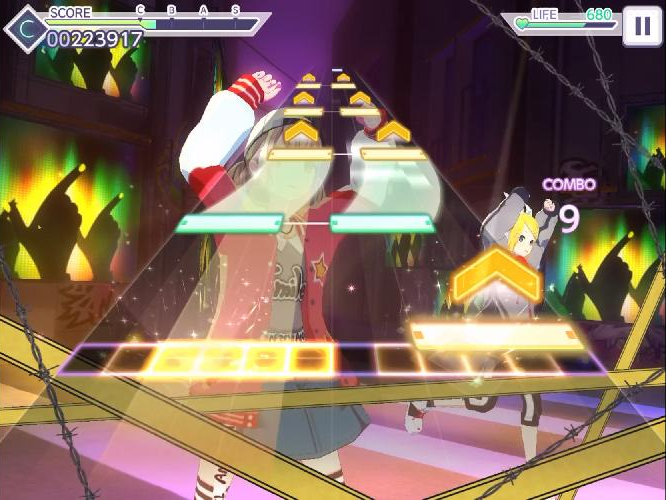
Whether you are a casual player trying to perfect your score in rhythm music games or a content creator struggling with professional post-production alignment, mastering audio-visual sync puzzles is a skill that balances technical precision with human perception. These challenges appear in everything from high-stakes mobile gaming to complex film editing, often creating frustration when the digital output fails to match the real-world timing of your senses. At their core, these puzzles require you to align two distinct data streams—auditory pulses and visual cues—into a singular, cohesive experience. When the timing is off, even by a fraction of a second, the immersion breaks, leading to input errors or disjointed media.
In this guide, we will explore the technical mechanics behind sync discrepancies, including how hardware latency and software processing impact your performance. You will learn practical strategies to troubleshoot lag, optimize your gear, and sharpen your reaction times. By understanding the underlying physics of these challenges, you can turn a source of technical annoyance into an opportunity to elevate your digital proficiency and creative execution.
1. Technical Mechanics and Troubleshooting for Audio-Visual Sync Puzzles
1.1 Understanding the Core Relationship Between Frame Rates and Sample Rates
At the heart of any audio-visual sync puzzle lies the complex interplay between video frame rates and audio sample rates. While they govern different domains, they must align perfectly to maintain the illusion of a unified stream. In digital environments, these two values are tethered by the system clock, which acts as the master heartbeat for all incoming and outgoing data.
1.1.1 Why Mismatched Timebases Cause Drift in Long-Form Projects
Drift occurs when the reference clocks for audio and video fall out of step over time. If a project is set to 24 frames per second but the audio is clocked to a non-integer sample rate, the discrepancy may be imperceptible in short clips. However, as the duration increases, these millisecond-level errors accumulate. This is common in rhythm music games where long tracks require absolute precision to ensure the user’s inputs align with the visual beat indicators.
1.1.2 Converting Between NTSC and PAL Standards Without Affecting Pitch
Transitioning between NTSC and PAL standards historically forced a slight pitch shift due to frame rate discrepancies. Modern workflows mitigate this through sophisticated time-stretching algorithms. When solving puzzles that involve international media assets, you must ensure that sample rate conversion occurs independently of the video timebase, allowing you to maintain correct pitch while adapting the video to the desired playback standard.
1.2 Eliminating Latency Through Hardware and Software Calibration
Latency is the primary antagonist in any environment requiring real-time interaction. Whether you are engaging with visual rhythm sequencing or complex interactive simulations, the delay between a physical input and a visual response must be minimized to ensure the “feel” of the puzzle remains intuitive.
1.2.1 Optimizing DAW Buffer Sizes for Real-Time Monitoring Accuracy
Buffer size is the most critical setting in your Digital Audio Workstation. A high buffer size provides stability for complex processing but introduces significant monitoring lag. For sync-heavy tasks, reduce the buffer to the lowest stable setting your processor can handle. This reduction minimizes the time it takes for your hardware to calculate audio signals, ensuring that the sound triggers exactly when the visual cue appears.
1.2.2 Managing Sync Protocols Like SMPTE and Word Clock in Complex Setups
In setups involving multiple hardware devices, relying on internal clocks often leads to sync failure. Using a dedicated Word Clock generator ensures all digital devices share a single timing reference. Similarly, SMPTE timecode remains the gold standard for interlocking linear audio with video playback in professional environments, preventing the jitter that can ruin precise beat-matching tap challenges.
1.3 Diagnostic Techniques for Identifying Sync Issues
Identifying why a sync error occurs is half the battle. If your input feels off, you must first determine if the problem is rooted in the source file, the hardware interface, or the output display.
1.3.1 Utilizing Visual Waveform Transients and Clapperboards for Precision
The most effective diagnostic method is a visual-to-audio transient test. By using a clapperboard or a sharp transient spike (like a snare hit on a specific frame), you can compare the waveform against the video frame where the impact occurs. If the audio spike happens after the visual impact, you have confirmed a positive latency issue. This method is essential when calibrating dynamic tempo arcade games that require high-speed reactions.
1.3.2 Identifying the Root Cause of Lag in Input, Rendering, or Hardware chains
Lag often creeps in through “hidden” chains. Use a simple loop-back test: route your audio output back into your input and record the delay. If the recorded delay is higher than your system buffer settings, the bottleneck is likely in your hardware interface or driver software. By isolating the rendering chain, you can pinpoint whether the delay is introduced during signal processing or by the display’s post-processing features.
1.4 Streamlining Post-Production Workflows for Audio-Visual Sync Puzzles
Efficiency in post-production relies on creating a reliable roadmap for your assets. Once your hardware is calibrated, you need a workflow that keeps your sync points locked throughout the editing process.
1.4.1 Manual Alignment Best Practices for Professional Media
Manual alignment is necessary when automated tools fail to detect rhythm patterns. Always work at the sample level rather than the frame level. Aligning your audio to the precise visual frame of a strike or beat ensures that the playback remains tight. When dealing with complex timing, keep your audio tracks locked to the video containers to prevent accidental shifts during later edits.
1.4.2 Leveraging Automated Sync Software for High-Volume Production
For large-scale projects, manual alignment is impractical. Automated sync software analyzes the waveform signatures of both scratch audio and reference tracks to align them perfectly. These tools act as a vital safety net, especially when you are dealing with hundreds of sync points in a single session. However, always perform a random sampling audit after the software completes its run to ensure the timing remains within the required tolerance.
2. Advanced Creative Strategies and Professional Refinements
2.1 Achieving Natural Fluidity in Lip-Sync and Foley Work
Achieving perfect synchronization in audio-visual sync puzzles often feels like a technical victory, but it can occasionally result in a sterile, robotic output. The human brain is surprisingly adept at sensing when sound is too mathematically perfect. By introducing subtle, non-linear variations, you can create a more organic experience that feels “alive.”
2.1.1 The Psychological Impact of Perception and Why Perfect Sync Can Feel Sterile
Our brains naturally expect slight imperfections in the physical world. In high-stakes visual rhythm sequencing, when every audio transient aligns exactly with a visual frame, the lack of micro-fluctuations can trigger an uncanny valley effect. Introducing minute, imperceptible delays—often just a few milliseconds—can help the brain process the interaction as a natural event rather than a synthetic trigger.
2.1.2 Advanced Techniques for Matching Sound to Slow-Motion and High-Speed Footage
Matching audio to high-speed footage requires a departure from standard frame-rate logic. Since the action is expanded in time, standard sound effects often sound “crunched” or unnatural if simply slowed down. Instead, focus on re-pitching the transient peaks to match the visual velocity. By layering stretched audio textures underneath the primary strike, you provide the acoustic weight that viewers expect when watching slow-motion impact events.
2.2 Mitigating Phase Alignment Problems in Multi-Microphone Environments
In complex recording environments, capturing a single event with multiple microphones often leads to phase cancellation. This is a common hurdle in professional sound design where clean, punchy output is required for satisfying sync puzzles.
2.2.1 Troubleshooting Comb Filtering and Destructive Interference
Comb filtering occurs when identical signals arrive at different times, causing specific frequencies to cancel each other out. This creates a thin, hollow sound that lacks the impact required for rhythm-based challenges. To troubleshoot, always listen to the sum of your microphones in mono. If the sound thins out significantly compared to a single mic, adjust the distance of your secondary sources to align the waveforms.
2.2.2 Phase Correlation Metering and Correction Methods
Utilizing a phase correlation meter is essential for identifying out-of-phase signals. Aim for a reading consistently above zero. If you find your signals are battling for space, use time-alignment plugins to nudge the tracks into phase coherence. This ensures that the low-end frequency remains robust, providing a tactile feel to your audio-visual puzzles.
2.3 Ensuring Delivery Standards and Quality Control
Finalizing your project requires accounting for the technical limitations of playback devices, which can introduce their own latency and sync errors.
2.3.1 How Video Compression and Encoding Affects Audio Timing
Aggressive video compression, particularly in web-based streaming formats, often causes the video stream to lag behind the audio because of the processing power required to decode individual frames. Always test your final export on a range of hardware, from high-end workstations to mobile devices, to ensure your timing holds up across different processors.
2.3.2 Developing a Final Quality Control Checklist for Broadcast and Web Exports
Your checklist should prioritize a “sync burn-in” test, which uses a high-contrast visual flash synchronized with a sharp audio click. By reviewing this frame-by-frame, you can verify if your export process has shifted your alignment. Ensure that you also normalize your integrated loudness to standardized broadcast levels to prevent dynamic range issues that might cause playback devices to stutter.
2.4 Frequently Asked Questions About Sync Accuracy
2.4.1 Determining the Standard Tolerance for Audio-Visual Sync Error
In most professional contexts, the human eye is remarkably tolerant of audio leading the video by up to 20 milliseconds, or trailing by up to 40 milliseconds. Within these bounds, the viewer rarely perceives a mismatch. Anything exceeding these limits will feel “off” to the average user, especially in rhythm-heavy applications.
2.4.2 Effective Strategies for Fixing Real-Time Sync Issues in Live Streams
Fixing sync in live environments usually involves adjusting the global audio delay within your streaming software. If the audio is hitting the stream before the video, you must delay the audio track until it perfectly aligns with the visual stream. Monitoring this via a secondary feed is the most accurate way to verify the fix before pushing the content live.
Mastering audio-visual sync puzzles is ultimately about finding the rhythm between technical precision and human perception. Whether you are troubleshooting latency in a complex studio environment or refining the timing in fast-paced rhythm music games, the goal remains the same: creating a seamless experience where every input feels intentional and responsive. By understanding the interplay between hardware calibration, frame rates, and signal flow, you can eliminate the lag that often disrupts immersion and focus.
Remember that while technical accuracy is the foundation, your own sensory input is the ultimate judge. Don’t be afraid to trust your ears and eyes when fine-tuning your setup or practicing your timing. As you continue to develop your skills, remember that consistent practice with visual rhythm sequencing will sharpen your reflexes and improve your ability to handle even the most challenging dynamic tempo arcade games. Stay patient with your progress, keep refining your diagnostic workflow, and enjoy the satisfaction of perfectly synchronized gameplay. If you want to dive deeper into other skill-based challenges, explore our collection of guides to keep sharpening your cognitive and motor skills.