
QR code menus were supposed to make restaurants feel futuristic. Then diners discovered the tiny drama of unlocking a phone, finding the camera, waiting for weak Wi-Fi, pinching a PDF menu like it owed them money, and accidentally opening three notifications before choosing tacos. Suddenly, the humble paper printer looked less like old office equipment and more like the quiet hero of modern hospitality.
A paper printer for QR code menus is not just a machine that spits out rectangles with pixelated squares. Used well, it becomes a restaurant’s bridge between digital convenience and real-world comfort. It helps cafés, bars, food trucks, diners, hotels, bakeries, and fast-casual restaurants offer updated digital menus without forcing every guest into a screen-only experience. It can print table tents, counter cards, receipt inserts, takeout flyers, specials sheets, mini menus, window signs, and backup paper menus for customers who simply want to read without turning dinner into a software update.
The best approach is not “paper versus QR code.” That argument belongs in the same drawer as cold fries and mystery charger cables. The smarter strategy is paper plus QR: printed materials that feel familiar, look professional, scan reliably, and point guests to a mobile-friendly menu that can be updated anytime. In other words, the printer is not replacing technology. It is making technology behave politely at the table.
Why QR Code Menus Still Need Paper
QR menus are practical for restaurants because they allow instant updates. When the salmon sells out, the happy hour changes, or the chef decides that Tuesday is suddenly “smoked chili aioli day,” the digital menu can change without reprinting the entire menu stack. QR codes can also connect guests to ordering, payment, allergen details, nutrition notes, photos, multilingual menus, loyalty signups, and seasonal promotions.
But diners do not experience restaurants as spreadsheets. They experience mood, lighting, service, hunger, noise, table space, phone battery, and whether someone across from them says, “Wait, what are you looking at?” A printed QR code menu solves several of those friction points. It gives the guest a clear physical object to interact with. It tells them where to scan. It can include a short URL for people who prefer typing. It can show a few best-selling items directly on paper. Most importantly, it gives the restaurant control over the first impression.
A QR code printed on a flimsy sticker slapped beside the ketchup bottle says, “We discovered technology during a lunch rush.” A well-designed table tent printed on sturdy matte card says, “Welcome. Here is the menu. We thought about this.” The difference is not the QR code. The difference is the paper, printer, design, placement, and testing.
What Kind Of Paper Printer Works Best For QR Code Menus?
The right printer depends on how often the restaurant prints, what materials it needs, and how polished the final result should look. A neighborhood coffee shop printing weekly specials has different needs from a high-volume food hall printing hundreds of table cards. Still, most restaurants will choose among three practical options: inkjet, laser, or thermal.
Inkjet Printers: Great Color, Flexible Paper Choices
Inkjet printers are useful when the design includes food photos, brand colors, illustrated icons, or small batches of attractive menu cards. They typically handle color gradients and photo-heavy layouts better than many basic office laser printers. For a bakery that wants a QR code card surrounded by croissant photos, an inkjet can make the pastries look buttery enough to start an argument.
The tradeoff is durability. Ink can smudge if the wrong paper is used, and wet tables are not gentle environments. If you choose inkjet, use coated paper made for inkjet printing, allow prints to dry fully, and consider laminating, sleeving, or placing cards in acrylic holders. Inkjet is ideal for low-to-medium volume printing where visual warmth matters more than raw speed.
Laser Printers: Sharp Text, Fast Output, Clean QR Codes
Laser printers are strong candidates for QR code menus because QR codes love clean edges and strong contrast. A good laser printer produces crisp black squares, sharp text, and fast batches. For restaurants that print many table tents, daily specials, server station sheets, or takeout QR flyers, laser printing is often efficient and predictable.
Color laser printers can produce attractive branded materials, though photo quality may not match a good inkjet. Black-and-white laser printers are especially useful for simple QR cards, internal labels, and high-volume backup menus. If your design is mostly text, logos, and a black QR code on white or light paper, laser printing is the practical workhorse. It may not sing, but it shows up on time.
Thermal Printers: Useful For Receipts, Not Always For Table Menus
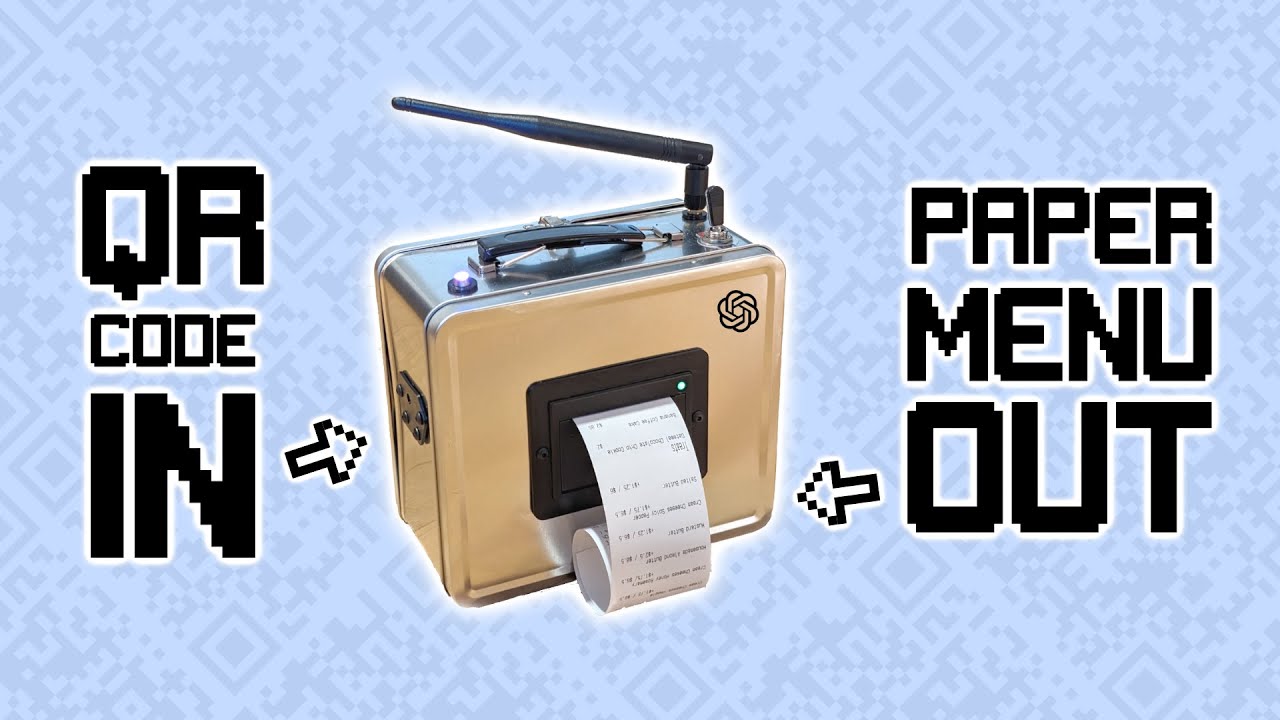
Thermal printers are common in restaurants for receipts and order tickets. They can print QR codes on receipts for payment, feedback, loyalty programs, or menu links. That makes them useful for limited QR menu situations, especially takeout and checkout prompts.
However, thermal paper is not ideal for long-term table displays. It can fade with heat, age, sunlight, and friction. It also feels more temporary. Thermal QR codes are great when the guest needs a short-lived scan, such as “pay here,” “review us,” or “reorder online.” For table tents and reusable menu cards, choose inkjet or laser on heavier paper stock.
Paper Matters More Than Restaurants Think
A QR code menu printed on ordinary copy paper may scan, but it may not survive. Restaurants are full of moisture, oil, fingerprints, cleaning spray, coffee rings, and guests who use table cards as tiny fidget boards. Paper choice affects scan reliability, appearance, and durability.
For everyday table cards, 80 lb to 100 lb cover stock is a good starting point, provided the printer supports that weight. For table tents, use sturdy cardstock that stands without curling. For premium restaurants, matte textured paper can feel more refined, but avoid heavy texture directly under the QR code because uneven surfaces can reduce scan quality. For takeout bag inserts, lighter paper is fine because the card only needs to survive the trip home, not a month beside hot sauce.
Glossy paper can make colors pop, but it may create glare under bright lights. That glare can annoy scanners and guests alike. Matte or satin finishes are usually safer for QR codes because they reduce reflection. If the dining room has strong overhead lighting, candles, patio sun, or neon signs doing their best impression of a spaceship, test the paper in the actual environment before printing 500 copies.
How To Print QR Codes That Actually Scan
A QR code is simple only when it works. When it does not scan, it becomes a tiny black-and-white escape room. The good news is that most scanning problems are preventable.
Use High Contrast
The classic black QR code on a white background works because it offers maximum contrast. You can use brand colors, but do not get too clever. Pale tan on cream may look elegant to a designer and completely invisible to a phone camera. Dark navy, deep green, charcoal, or black on a light background usually works well. Avoid gradients inside the code unless you have tested them thoroughly.
Leave A Quiet Zone
The quiet zone is the blank space around the QR code. It tells the scanner where the code begins and ends. Crowding the code with a logo, border, fork illustration, or “Scan Me!” text too close to the edges can cause scan failures. Give the QR code breathing room. Yes, even QR codes need personal space.
Print Large Enough For The Scanning Distance
A tiny QR code may work on a business card held close to the phone, but a table tent must scan from a natural seated position. For most table cards, make the QR code at least one inch wide, and larger if guests will scan from farther away. Window signs, wall posters, and counter displays need bigger codes because people scan them from a distance.
Use Vector Files When Possible
For print, SVG, EPS, or high-resolution PDF files are better than small PNG screenshots. A blurry QR code can look fine to the human eye but fail for a phone camera. Avoid copying the QR code from a screen or compressing it through messaging apps. Download the print-quality version from your QR code generator or menu platform.
Test Before You Print A Stack
Every restaurant should follow the sacred rule of QR printing: test one before printing many. Scan the sample with an iPhone, an Android phone, an older phone if possible, and under the same lighting where guests will use it. Test from different angles. Test after placing it in a plastic holder. Test after wiping the holder. Test when the Wi-Fi is feeling dramatic. Then print the batch.
Static QR Codes Versus Dynamic QR Codes
A static QR code points directly to one fixed destination. If it links to a PDF file or page URL and that address changes, the printed code becomes useless. Static codes can work for simple menus when the restaurant controls the URL and plans carefully. For example, a restaurant might use a permanent page such as “restaurantname.com/menu” and update the content on that page without changing the link.
A dynamic QR code allows the destination to be changed after printing. This is useful when menu platforms change, seasonal campaigns rotate, or different tables need different ordering links. Dynamic codes may also provide scan analytics, which can help restaurants see whether table tents, window signs, or takeout inserts are getting attention.
For most restaurants, the safest approach is to use a stable, branded URL whenever possible. Guests trust a link that clearly belongs to the restaurant. A short printed URL below the QR code also helps people who do not want to scan. It is a small accessibility and trust feature with a big hospitality payoff.
Designing Table Tents, Cards, And Paper QR Menus
A QR code by itself is not a menu experience. It is a doorway. The printed piece should tell guests what is behind the doorway and why they should open it.
A strong table tent might say: “Scan for today’s menu, specials, and allergen details.” A takeout insert might say: “Order again in 30 seconds. Future you deserves noodles.” A bar card might say: “Scan for cocktails, beer list, and happy hour.” Clear language beats mystery. Nobody wants to scan a random square and hope it leads to dinner rather than a haunted spreadsheet.
Good QR menu print design includes the restaurant logo, a short instruction, the QR code, a fallback URL, and perhaps one small visual cue such as a phone icon. Do not overload the card. The print piece is not the entire website. It is a friendly signpost.
Where To Place Printed QR Codes
Placement depends on the guest journey. Table tents work well for dine-in service. Counter cards are useful for cafés, bakeries, and quick-service restaurants. Window signs help customers browse before entering. Takeout bag inserts encourage reorders. Receipt QR codes can support payment, feedback, loyalty enrollment, and reviews.
Avoid placing QR codes only in one location. If the table tent is blocked by a water bottle, the guest should still have another option. For busy restaurants, combine table cards with a printed backup menu at the host stand. For patios, use heavier holders so the QR code does not blow away like a tiny digital tumbleweed.
Accessibility: The Printed QR Code Is Only Half The Job
A printed QR code menu is not automatically accessible. If the code opens a scanned image or an unreadable PDF, guests using screen readers may still be stuck. The best digital menu is built as mobile-friendly HTML with real text, clear headings, readable contrast, alt text for meaningful images, and logical navigation.
Restaurants should also keep printed menus available. Some guests do not own smartphones. Some have low battery, limited data, poor vision, hand tremors, cognitive overload, privacy concerns, or simply a desire to eat dinner without negotiating with technology. Hospitality means offering choices without making anyone feel like they failed a tech exam.
For printed QR cards, use large readable type. Avoid placing essential instructions in tiny script fonts. Include a simple line such as, “Need a paper menu? Please ask us.” That sentence does more than provide information. It tells the guest they are welcome either way.
Security: Do Not Let Fake QR Stickers Crash The Party
QR codes can be abused by scammers who place fake stickers over real codes or direct guests to malicious websites. Restaurants should treat printed QR materials as part of their security routine. Staff should check table tents, window signs, and restroom posters daily for tampering. If a QR code is placed inside a holder, make sure the holder cannot easily be opened by anyone walking by.
Use branded landing pages and display the restaurant’s domain under the QR code. Guests are more likely to trust a code that clearly points to the official website. Avoid sending diners through suspicious-looking short links. Also, do not ask for unnecessary personal information immediately after a scan. A menu should not behave like it is applying for a mortgage.
Cost Control: Why In-House Printing Can Make Sense
Professional printing is excellent for permanent menus, premium table tents, and large polished batches. But in-house printing has a major advantage: speed. Restaurants change constantly. Prices shift, ingredients sell out, staff discovers a typo, brunch becomes lunch, and someone realizes “publick Wi-Fi” is not an old-timey branding choice but a mistake.
With a reliable paper printer, a manager can update a QR card before service instead of waiting days for a print shop. In-house printing is especially useful for daily specials, event menus, temporary promotions, holiday hours, and emergency replacements. The printer does not need to replace professional printing. It can handle the fast-moving materials while the print shop handles the big polished runs.
A Simple Workflow For Printing QR Code Menus
Start with the digital menu page. Make sure it loads quickly, looks good on mobile, and includes accurate prices, descriptions, allergens, and photos only where they help. Next, generate a QR code that points to the menu or ordering page. Use a stable link. Download a high-resolution or vector file.
Then create the print layout. Choose a size such as a table tent, 4-by-6 card, half-page flyer, receipt insert, or window sign. Add a short call to action, the QR code, fallback URL, and restaurant branding. Print one sample on the actual paper. Test it in the dining room. Adjust contrast, size, spacing, and wording. Only then should you print the full batch.
Finally, create a replacement routine. Keep the design file organized. Name versions clearly. Store extra paper, ink, toner, and holders. Train staff to report damaged cards. The system should be simple enough that a shift lead can print replacements without needing to summon the one person who “knows Canva.” Every restaurant has that person. They deserve a day off.
Specific Examples For Restaurants
The Coffee Shop
A coffee shop can print small counter cards that say, “Scan for seasonal drinks and pastry availability.” The QR code opens a live menu showing which pastries are still available. The shop can update the digital menu as items sell out, while the printed card remains the same for months.
The Food Truck
A food truck can print laminated QR cards for the order window and smaller inserts for takeout bags. The QR code leads to the daily location schedule, menu, and online ordering page. Since weather is a factor, waterproof sleeves or lamination are worth the extra effort.
The Full-Service Restaurant
A full-service restaurant can use printed menus for dinner while placing a discreet QR code on the menu for wine details, allergen information, photos, or translations. This hybrid approach keeps the dining experience elegant while still giving guests digital depth when they want it.
The Bar
A bar can print table tents with QR codes for rotating beer lists, cocktail specials, event calendars, and late-night snacks. Because lighting is often low, the QR code should be large, high contrast, and printed on matte stock. A glossy black card may look cool until everyone has to scan it with the determination of a detective.
Common Mistakes To Avoid
The first mistake is printing the QR code too small. The second is using low contrast because it “matches the brand.” The third is linking to a giant PDF that loads slowly and requires pinch-zooming. The fourth is forgetting to test the code after placing it inside a holder. The fifth is failing to offer a paper alternative.
Another common mistake is treating the QR code as the whole experience. The guest still needs clear instructions, fast loading, readable menu design, current prices, and human help when needed. A QR code can support service, but it cannot replace hospitality. It is a tool, not a waiter with better posture.
Experience Notes: What It Is Like To Use A Paper Printer For QR Code Menus
In practice, using a paper printer for QR code menus feels less like a tech project and more like building a small restaurant communication system. The first surprise is how often printed QR materials need to change. A dish sells out, a seasonal drink arrives, a new delivery link goes live, or the owner wants to test a breakfast combo. When the printer is nearby, those changes stop being a crisis. They become a five-minute task.
The second lesson is that guests notice quality. They may not say, “What a beautifully calibrated print workflow,” because normal people do not talk like printer manuals. But they notice when a QR card is clean, sturdy, readable, and placed where their hand naturally reaches. They also notice when the card is stained, curling, faded, or trapped under a sticky syrup bottle. The printed piece quietly tells the guest how much the restaurant cares about details.
The third lesson is that staff adoption matters. If servers understand what the QR code does, they can introduce it naturally: “You can scan here for photos and allergen details, and I can bring a printed menu as well.” That sentence feels helpful. Compare it with, “The menu is on the QR code,” which can sound like a challenge issued by a bored robot. A printed QR menu works best when staff treat it as an option, not an obstacle.
The fourth lesson is that not every QR card needs to do everything. A table tent that links to the full menu should not also push reviews, loyalty signups, catering, merch, events, gift cards, and the owner’s podcast. One printed piece should have one main job. If you need multiple actions, create separate cards for separate moments: menu at the table, reorder link in the takeout bag, review QR on the receipt, catering QR near the exit.
The fifth lesson is that printers have personalities. Some love cardstock. Some complain. Some print perfectly until ten minutes before service, because office equipment enjoys suspense. Restaurants should keep printer settings documented: paper type, tray, size, quality, margins, and file location. A laminated one-page “QR print checklist” near the printer can save time, toner, and the emotional stability of the lunch shift.
The sixth lesson is that testing in real conditions beats designing in perfect conditions. A QR code that scans beautifully under office lighting may struggle on a patio at sunset or inside a dim bar. A design that looks refined on a laptop may be too small for guests over 50. A plastic holder may add glare. A dark tabletop may reduce contrast if the card has transparent edges. Print one, place it where guests will use it, and scan like a customer who is hungry and mildly impatient.
The final lesson is that the best QR menu systems are humble. They do not force the guest into one path. They offer digital speed for those who want it and printed comfort for those who do not. A paper printer makes that balance affordable. It lets restaurants update quickly, communicate clearly, and keep the physical warmth of hospitality alive. The future of menus is not paperless. It is thoughtful, flexible, and hopefully free of mystery PDFs.
Conclusion
A paper printer for QR code menus may sound like a small back-office tool, but it can shape the entire guest experience. The right printer helps restaurants produce scannable table tents, attractive cards, takeout inserts, and backup menus that make digital ordering easier without making diners feel abandoned to their phones. Whether you choose inkjet for rich color, laser for speed and sharpness, or thermal printing for receipt-based QR prompts, the goal is the same: clarity.
Restaurants that win with QR code menus do not simply print a square and hope for the best. They choose durable paper, preserve contrast, leave a quiet zone, test scans, protect against tampering, offer accessible digital pages, and keep paper menus available. That combination gives guests the convenience of digital updates and the comfort of a physical touchpoint. It is modern hospitality with a printer tray.