
If you’ve ever stood on your front porch in the rain, patting every pocket like you’re doing the Macarena with a panic attack, you already understand the appeal of keyless entry systems. No keys to lose, no “Did I lock the door?” moment halfway to the airport, and no more spare key under the doormat that every burglar on Earth knows about.
Keyless entry systems promise a mix of convenience and security that sounds almost too good to pass up. But like any home upgrade, they come with trade-offs: higher cost, tech quirks, and some real questions about hacking, power failures, and plain old user error. Before you replace your trusty deadbolt with a glowing keypad or app-controlled smart lock, it’s worth looking at both sides.
Let’s break down what keyless entry systems are, what they do well, where they can let you down, and how to decide if they’re right for your home, rental, or renovation project.
What Is a Keyless Entry System, Exactly?
“Keyless entry” is a broad term that covers any lock you can open without a traditional metal key. For houses and small buildings, that usually means one or more of the following:
Keypad or PIN Code Locks
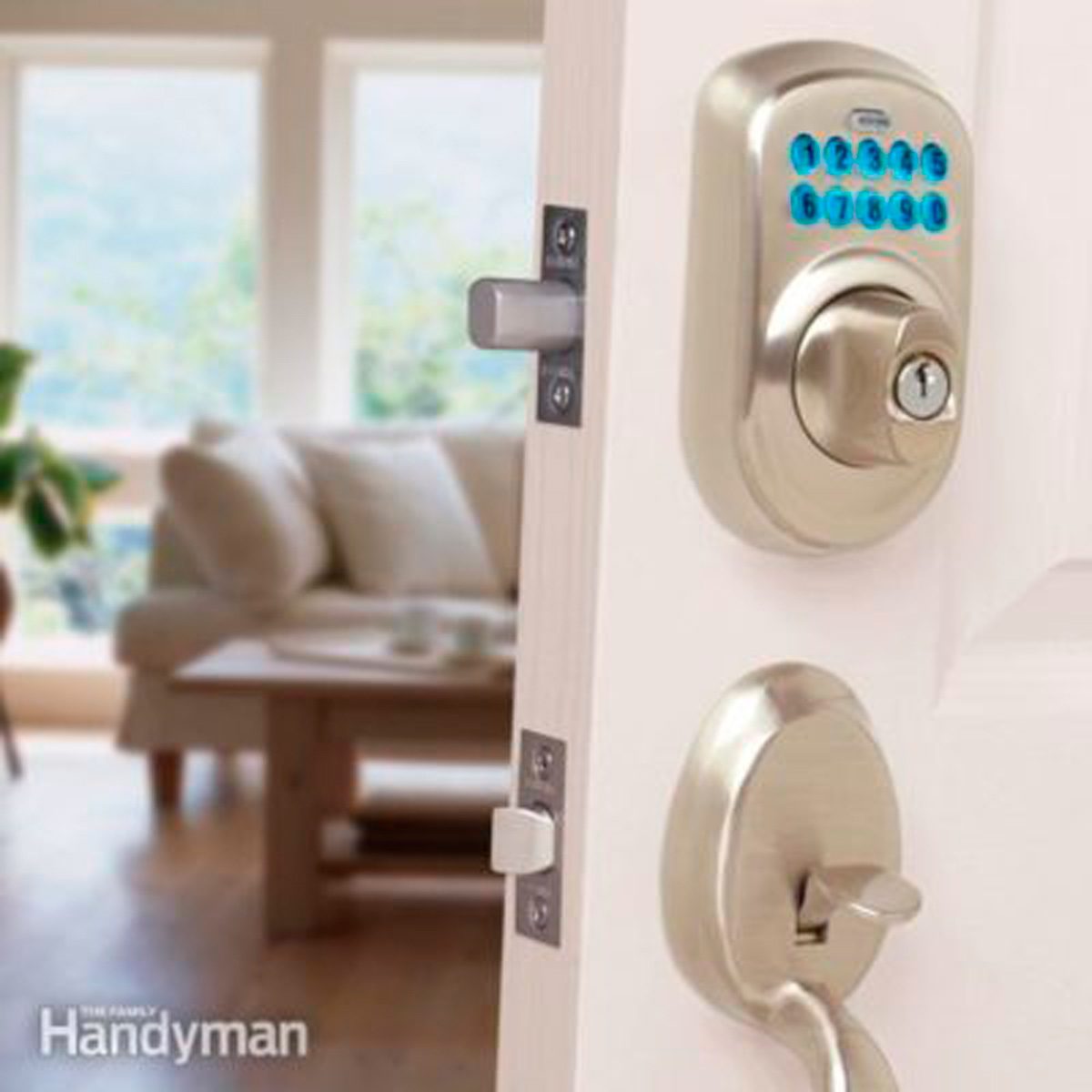
These are the classic keyless deadbolts you see in a lot of homes now. You tap in a numeric code on a keypad to unlock the door. Many models still have a keyhole as backup, but the keypad is the main act.
Smart Locks (Wi-Fi, Bluetooth, or Both)
Smart locks connect to your phone or home network. You can lock and unlock the door through an app, a smart-home platform, or even voice commands. Features can include:
- Temporary codes for guests or contractors
- Activity logs that show who unlocked the door and when
- Auto-lock and auto-unlock based on your phone’s location
- Integration with cameras, alarms, or door sensors
Fob or Card Systems
Instead of a key, you use a small fob, card, or tag that you tap near the lock. These are more common in apartment buildings and offices but are slowly appearing in residential setups too.
Biometric Locks
These rely on fingerprints, and occasionally facial recognition. They’re not nearly as common as keypad or app-based systems in single-family homes, but they’re part of the same “no metal key” family.
Each style has its own quirks, but they all share the same basic promise: ease of entry and tighter control over who can get in.
Keyless Entry Pros: Why Homeowners Love These Systems
1. No More Lost Keys (Seriously, Ever)
The headline benefit is obvious: no physical keys to misplace, copy, or leave at your friend’s house. Instead of calling a locksmith at 11 p.m., you punch in a code or use your phone. For busy families, that alone can be worth the upgrade.
It also eliminates risks like leaving a spare key under the doormat, in the fake rock, or on top of the door frameclassic hiding spots that burglars check first.
2. Easy Access for Guests, Babysitters, and Contractors
Keyless entry is made for modern life, where people are constantly coming and going. Instead of cutting copies of a key for:
- Dog walkers
- Cleaners
- Babysitters
- Houseguests or visiting in-laws
…you simply create a unique access code or send a digital “key.” Many smart locks let you set schedules (for example: a housecleaner’s code only works on Tuesdays from 9 a.m. to noon) or temporary codes that automatically expire after a certain time.
3. Better Tracking and Peace of Mind
Traditional locks are basically anonymousonce you hand someone a key, you have no idea when they come and go. Keyless entry systems flip that. Many models can:
- Log every time the door is locked or unlocked
- Tell you which code or user did it
- Send push alerts when someone enters
That’s especially comforting for parents who want to know that their kids got home from school safely, or for homeowners who travel frequently and want a quick status check on the front door.
4. Integration With Smart-Home Systems
Smart locks can plug into a larger security or home-automation setup. That might mean:
- Locking the door automatically when your security system arms
- Turning on the entry light when the door unlocks after dark
- Triggering a camera to record whenever the door opens
If you’re already using smart lighting, thermostats, or security cameras, a keyless entry system often completes the picture.
5. Convenience for Landlords and Property Managers
For rentals, keyless entry can be a huge time-saver. Instead of re-keying locks between tenants, you simply wipe old codes and add new ones. Vacation rentals benefit tooguests get a code instead of juggling keys at a lockbox, and you never have to worry about someone copying a key before they leave.
6. Potential Security Gains Over Traditional Habits
Here’s the uncomfortable reality: a lot of break-ins don’t involve Hollywood-style lock-picking or power tools. Many burglars simply go through an unlocked door or an easily forced entry point. Keyless systems can help by:
- Auto-locking after a set period, so you’re not relying on memory
- Removing the “hidden spare key” problem
- Making it easier to change access instantly if a code might be compromised
In other words, they’re not magic shields, but they can nudge you into more consistent security habits.
Keyless Entry Cons: The Trade-Offs You Need to Know
1. Higher Upfront Cost
Keyless entry systems cost more than a basic deadbolt. A standard mechanical deadbolt can be very affordable, while keypad and smart locks usually sit in the mid-to-high range of residential hardware. If you add professional installation, a Wi-Fi bridge, or a full security system, the bill grows quickly.
For many homeowners, the cost is justified by convenience and featuresbut it’s still a noticeable jump compared to traditional hardware.
2. Not All Smart Locks Are Built Like a Tank
Some people assume “more technology” automatically means “more secure.” That’s not always true. The physical part of the lockits bolt, strike plate, and overall buildstill matters. A poorly installed smart lock on a flimsy door frame is easier to kick in than a high-quality mechanical deadbolt paired with reinforced hardware.
When you shop, look at both the digital features and the mechanical rating. Grade 1 or Grade 2 residential hardware with a solid strike plate and long screws is a good baseline.
3. Power and Battery Issues
Keyless systems need power. That might mean batteries inside the lock, a wired connection, or both. Batteries typically last several months to a year, but you do have to replace them. Most models give low-battery warnings, but if you ignore those long enough, you could end up locked out.
Some keypad locks have a backup keyhole. Others allow emergency powerlike touching a 9-volt battery to hidden terminals to wake the lock long enough to get in. It’s smart to know your specific model’s backup plan before you need it.
4. Glitches, Bugs, and Connectivity Problems
Smart locks are basically tiny computers sitting in your door. And like any tech, they can glitch. Common complaints include:
- App losing connection with the lock
- Wi-Fi dropouts making remote access unreliable
- Firmware bugs requiring updates or resets
If you’re not comfortable troubleshooting apps and routers, a very “smart” lock might feel like too much maintenance. Simpler keypad-only models tend to be more set-and-forget.
5. Hacking and Privacy Concerns
Can keyless entry systems be hacked? In theory, yesanything connected to a network can be. In practice, most break-ins still happen the old-fashioned way: unlocked doors, weak doors or frames, or basic forced entry. Still, there are digital risks worth considering:
- Weak Wi-Fi passwords or outdated routers that make all smart devices more vulnerable
- Reused or simple lock app passwords that are easy to guess
- Cheap off-brand locks that don’t keep up with security updates
Sticking to reputable brands, enabling two-factor authentication where possible, and updating firmware go a long way toward minimizing these risks.
6. Human Error: Codes, Shoulder Surfing, and Bad Habits
Keyless entry doesn’t magically fix human behavior. People still choose PINs like “1234” and “0000.” They still share codes by text with half the neighborhood and never change them again. They still let friends watch over their shoulder as they type in the code.
If you’re going to use codes instead of keys, treat them like digital passwords:
- Use longer, non-obvious combinations
- Avoid birthdays and street numbers
- Change codes periodically or after a contractor finishes a job
7. Compatibility and Aesthetics
Depending on your existing deadbolt, door thickness, and style, not every keyless lock will fit. Retrofit smart locks that clamp onto the interior side of your existing deadbolt are usually easier to install but may look bulkier inside. Full-replacement models offer a cleaner look but require removing and replacing the entire lock.
If you’re picky about finishes and style, you may have fewer options with keyless hardware than with traditional knobs and leversthough that’s improving every year.
Keyless vs. Traditional Locks: Which Is More Secure?
The honest answer: it depends less on the technology and more on how you use it. A high-quality mechanical deadbolt, professionally installed in a solid frame with a reinforced strike plate, is very secure for most homes. A smart lock with flimsy mounting, an always-unlocked side door, and weak Wi-Fi security might offer less real protection, even if it costs more.
Think about security in layers:
- Physical layer: solid doors, frames, and strike plates
- Lock quality: ANSI/BHMA grades, pick and bump resistance
- Digital layer: strong Wi-Fi and app passwords, up-to-date firmware
- User behavior: actually locking the door, managing codes, not sharing access carelessly
A good keyless entry system can make those layers easier to manageauto-locking doors, alerting you when the door is left unlocked, and allowing instant revocation of access. But it’s not a substitute for the basics.
How to Choose and Use a Keyless Entry System Wisely
1. Start With Your Door and Deadbolt
Before you buy anything high-tech, make sure your existing door isn’t the weak link. Check for:
- A solid or metal door (not hollow core)
- A sturdy frame with a reinforced strike plate and long screws
- Reasonably modern deadbolt and latch hardware
2. Decide How “Smart” You Really Need
If you mainly want to stop losing keys, a standalone keypad lock may be perfect. If you want remote control, logs, and integration with cameras or alarms, look for a Wi-Fi or Bluetooth smart lock that plays nicely with your existing smart-home ecosystem.
3. Favor Reputable Brands and Regular Updates
With something as important as your front door, this is not the time to gamble on a no-name smart lock with sketchy reviews. Look for brands that offer:
- Clear documentation
- Regular firmware updates
- Good customer support
- Transparent security practices
4. Take Passwords and PINs Seriously
Treat your lock app and Wi-Fi like the front door of your digital house. Use strong, unique passwords and enable two-factor authentication if available. For PINs, go longer, mix digits, and avoid obvious patterns.
5. Have a Backup Plan
Know exactly what happens if:
- The power goes out
- The lock’s batteries die
- Your phone is lost or dead
Some combination of backup key access, emergency power terminals, and trusted neighbors or family members with their own codes can keep a frustrating situation from becoming an emergency locksmith visit.
Real-World Experiences With Keyless Entry Systems
Reading specs and feature lists is one thing. Actually living with a keyless entry system is another. Here are some common real-world experiences homeowners report, the good, the bad, and the “Are you kidding me?” moments.
The Forgetful Family That Finally Relaxed
One of the biggest success stories you hear is from busy families who could never seem to keep track of keys. Imagine two working parents, a couple of teenagers, and a revolving door of friends, sitters, and dog walkers. Before keyless entry, every lost key meant either hoping it turned up or scheduling a re-key.
After installing a keypad lock and assigning each person a unique code, life got simpler. No more arguing over who lost which key. When a teen loaned their code to a friend “just once,” the parents simply deleted it and created a new one. When the dog walker moved away, that code was gone in seconds. The front door became one less thing to worry about.
The DIY Homeowner’s Learning Curve
On the flip side, DIY fans sometimes discover that “15-minute installation” is optimistic. Old doors can be out of square, existing deadbolt holes may not perfectly line up, and interior smart-lock modules can feel surprisingly bulky on narrow door stiles.
Many people get it done with basic tools and patience, but it’s common to make two or three trips back inside for:
- Fresh batteries (the ones from the junk drawer are mysteriously dead)
- A drill bit that’s actually the right size
- A small file or chisel to clean up the latch or strike opening
Once installed, though, most homeowners agree the convenience is worth the hour or two of wrestling with the door.
Landlords Who Swear They’ll Never Go Back
Ask a landlord with multiple units what they think of keyless entry, and you’ll often get an enthusiastic review. Instead of scheduling locksmiths between tenants or collecting old keys, they simply reset access codes. No keys to track, no worries about a former tenant secretly copying the key before moving out.
For short-term rentals, a keyless system is almost a must-have. Guests get a unique code that works only for the dates of their stay. If someone checks in late, there’s no need for an in-person key handoff. Hosts can even change the code from their phone if plans shift.
When Technology Trips You Up
Of course, the tech can bite back. A common scenario: you step outside to grab a package or bring in groceries, the auto-lock kicks in, and your phone is sitting inside on the counter. If your lock doesn’t have a keypador if you haven’t memorized the codecongratulations, you’ve locked yourself out with a very “smart” lock.
Other homeowners report frustrations like:
- Geofencing that occasionally triggers auto-unlock at odd times
- Voice assistants misunderstanding commands
- Apps that feel slow or clunky after software updates
These issues don’t happen to everyone, but when they do, they tend to make people nostalgic for a simple metal key that always worked the same way.
Security Professionals’ Cautious Take
Locksmiths and security pros often have a more skeptical perspective. They see the smart locks that fail, not the ones quietly working. Their concerns typically focus on three things:
- Cheap, poorly built locks that look sleek but have weak hardware
- Over-reliance on technology instead of good physical security
- Users who never change default PINs or update firmware
When you listen closely, though, most pros aren’t anti-keyless. They’re anti-corners-cut. The smart approach is to combine good mechanical security with good digital hygiene. That means choosing quality hardware, installing it properly, and treating codes and passwords with the same care you’d treat a physical key.
So, Should You Go Keyless?
For many homeowners, the pros of keyless entry systemsconvenience, flexible access, logs, and integrationoutweigh the cons, especially when you’re willing to spend a little time on setup and security basics. If you’re the type who already manages passwords, updates apps, and likes smart-home gadgets, a keyless system will likely feel natural.
If you prefer minimal technology or live in a place with unreliable power and internet, a simpler keypad lock or high-quality traditional deadbolt might be the better choice. The good news is you don’t have to pick one extreme. Many systems let you keep a physical key as backup while adding just enough “smart” features to make day-to-day life easier.
Bottom line: keyless entry systems aren’t a magic cure-all for home security, but they can be a powerful upgrade when you match the product to your lifestyle, your home, and your comfort level with technology.