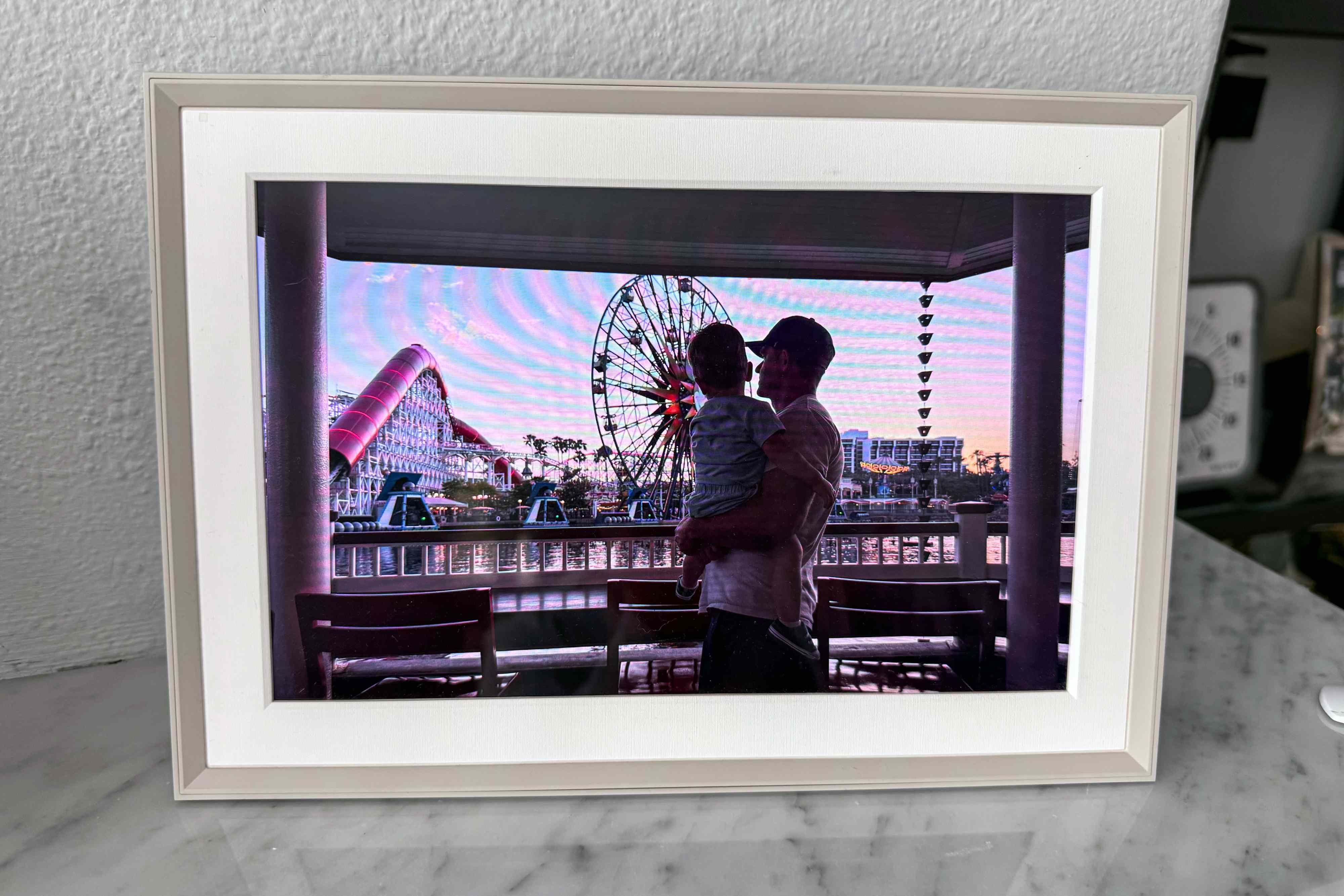

If your camera roll is a chaotic soup of sunsets, screenshots, and the occasional photo of your own knee (how did that get there?), a good digital photo frame
can rescue your best memories from “scroll jail.” In 2025, the Aura Carver sits in the sweet spot: it’s one of Aura’s most affordable frames,
it looks like grown-up home decor (not a gadget that escaped from a dorm room), and it’s built for the one thing people actually want a frame to do:
show the good photos without making you do homework.
This review breaks down what the Aura Carver does well, where it compromises, how it compares to other popular WiFi digital picture frames, and who should buy it.
I’ll keep it practical, specific, and occasionally sillybecause if your frame can play a 30-second clip with sound, it deserves at least one dad joke.
Quick Verdict
The Aura Carver is a strong buy in 2025 if you want a simple, premium-looking digital photo frame with an excellent app experience,
unlimited cloud storage, and easy family sharingespecially for gifting. It’s less ideal if you need portrait orientation, local/offline playback,
or you’re allergic to WiFi dependency.
- Best for: easy gifting, long-distance families, “set it and forget it” slideshows, people who hate fiddly tech
- Not ideal for: portrait-only display, off-grid homes, places with unreliable WiFi, wall-mount hunters
Aura Carver Specs and Key Features (What You’re Actually Buying)
Let’s get the headline specs out of the waybecause you shouldn’t have to play detective to learn what’s inside the frame.
Specs at a glance
- Display: 10.1-inch LCD, landscape orientation
- Resolution: 1280 × 800 (HD)
- Orientation: Landscape only, with Portrait Pairing for vertical photos
- Controls: Interactive touch bar (not a touchscreen)
- Audio: Built-in speaker for video clips
- Video support: Up to ~30 seconds of video with sound
- Connectivity: Requires WiFi; 2.4GHz router requirement listed
- Storage: Unlimited photos and videos via Aura’s cloud (no subscription fees)
- Price (typical): Carver around $149; Carver Mat around $179 on Aura’s site
What “Carver” means (and what it doesn’t)
Aura sells multiple frames, and the naming can feel like someone at Aura spun a wheel and landed on “art gallery chic.”
Here’s the simple distinction:
- Aura Carver (10″): A landscape-only 10.1″ frame with portrait pairing and a minimalist bezel.
- Aura Carver Mat (10″): Similar size, but designed with paper-like matting for a more “framed print” look.
If you’re decorating with real frames and want the digital one to blend in, the Carver Mat is often the more convincing “this is art” option.
If you just want an excellent digital frame that looks clean, the standard Carver is the value play.
Design and Display Quality: Does It Look Like a Frame or a Tablet in Disguise?
Aura’s whole brand identity is “make it look like a photo, not a screen,” and the Carver mostly delivers. Multiple reviewers consistently point out
that Aura frames look polished and giftable, not plasticky.
The good: color and clarity are strong for the price
The Carver’s 1280 × 800 resolution is lower than Aura’s higher-end models (like Aspen or Walden), but it still produces vivid, pleasing images at typical
viewing distances. The Strategist notes that Carver images look good even up closejust less detailed than higher-resolution Aura frames.
In plain English: it’s not “museum print,” but it is “wow, that’s a great photo of us.”
The compromise: landscape-only (and why portrait pairing is a big deal)
The Carver only sits in landscape orientation. That sounds like a small limitation until you remember most phone photos are vertical.
Aura’s solution is Portrait Pairing, which displays two portrait photos side-by-side so you don’t get the dreaded “tiny vertical photo floating
in a sea of black bars.”
It’s genuinely usefulespecially for family albums where half the photos are portraits and half are landscape. But it’s still not the same as a frame
that can rotate and display full-screen portrait images.
Touch bar controls: classy… and occasionally confusing
The Carver uses an interactive touch bar rather than a touchscreen.
This is part of Aura’s “don’t make it feel like a tablet” philosophy. In practice, it’s simple: swipe to change photos, press/hold for certain actions,
and do most management in the app. If you’re buying for someone who smudges every screen they touch, the touch bar is a surprisingly nice win.
Setup and App Experience: The Real Reason People Buy Aura
Most digital frames live or die by their software. Aura’s reputation is built on a clean, intuitive app and easy sharingsomething repeatedly emphasized
in best-of roundups and comparisons.
Setup is fast, especially for gifting
Aura explicitly supports preloading a frame with photos, videos, and even a message before the recipient ever plugs it in.
That matters because gifting a digital photo frame can otherwise turn into an accidental group project (“Grandma, tap the WiFi. No, the OTHER WiFi…”).
Adding photos is frictionless (and now you can text them)
In 2025, Aura highlights multiple ways to add contentapp uploads, share links for family, scanning printed photos in-app, and even a newer feature:
texting photos directly to the frame after setup.
That last one sounds like a gimmick until you imagine your family group chat turning into a curated “best-of” stream:
you share a photo once, and it ends up on the frame without anyone needing to download, save, or “find the right album.”
Unlimited storage with no subscription fees (a sneaky big advantage)
Aura emphasizes that there are no subscription fees and you get free, unlimited photo and video storage.
That’s important because some competing frames gate useful features (like remote settings or album tools) behind a subscription.
NBC Select specifically calls out Skylight’s optional subscription and how it changes what you can control from your phone.
Translation: with Carver, what you buy is what you getno “unlock the rest of your frame” monthly fee.
Everyday Performance: Slideshow Quality, Auto On/Off, and Video
Auto on/off makes it feel like decor, not a nightlight
The Carver includes auto on/off and brightness behavior designed to adapt to lighting.
This is one of those features you forget existsuntil you use a cheaper frame that glows in the dark like a tiny billboard.
Video clips (with sound) are surprisingly fun
Aura states the frame plays up to 30 seconds of video with sound.
In real-world use, this is perfect for quick moments: a kid’s giggle, a short “happy birthday,” a dog doing something mildly illegal.
Longer videos belong on your TV; short clips belong on a frame.
Captions and scanning printed photos are underrated features
Aura’s app supports adding captions, and it includes an in-app scanner for printed photos.
Captions are a quiet superpower for family photos: names, dates, and places keep memories from turning into a guessing game later.
The Big “But”: WiFi Dependence and the Google Photos Situation
Aura frames require WiFi because they pull content from the cloud.
If your internet drops often, or you want a frame for a cabin with questionable connectivity, that’s a real limitation.
NBC Select highlights how local storage can be an advantage for competing frames, since some can keep displaying photos without WiFi once uploaded.
Google Photos auto-sync changes (2025) and why it matters
In 2025, Google’s API changes created uncertainty for digital frames that relied on Google Photos auto-sync.
The Verge reported that Aura initially indicated auto-sync would be impacted, then later confirmed its frames would continue to auto-sync while it worked
through Google’s changes.
Practical takeaway: if Google Photos syncing is a must-have for you, it’s worth double-checking current integration behavior at time of purchase.
(Not because Aura is shadybecause platform APIs are like weather: they change even when you didn’t touch anything.)
Aura Carver vs. Other Popular Digital Photo Frames (2025 Comparisons)
Aura Carver vs. Aura Aspen / Walden
If you like the Aura ecosystem but want a sharper display or more flexibility, Aura’s other models exist for a reason.
Tom’s Guide notes Aura’s higher-end frames offer higher resolution than Carver’s 1280 × 800.
- Choose Carver if you want Aura’s experience for less money and don’t mind landscape-only.
- Choose Aspen if you want a more premium display and more versatile placement (and you’re okay paying more).
- Choose Walden if you want big and bold (15″) and wall-mount options.
Aura Carver vs. Skylight
Skylight is the other big name people cross-shop. In NBC Select’s testing, Skylight’s strengths included a slimmer, tablet-like design and local storage
options that can keep photos displaying without WiFi after uploadwhile Aura’s strengths leaned toward a simpler, more “photo frame” feel with strong app control.
House Beautiful’s comparison also underscores a key practical difference: Aura emphasizes unlimited storage, while Skylight leans on onboard storage and optional subscriptions for certain capabilities.
Aura Carver vs. Nixplay
Wired frames Nixplay as a compelling alternative if you specifically want a touchscreen and direct on-frame interaction.
If your priority is “I want to swipe the screen like a phone,” Nixplay can make more sense. If your priority is “I want it to look like decor and never see fingerprints,” Carver’s touch bar + app approach is cleaner.
Aura Carver vs. Budget Frames (Aluratek, Frameo, etc.)
Popular Mechanics points out a common budget-frame tradeoff: cheaper frames may offer USB/SD card options and more local storage, but you’re often paying for that
with clunkier software, less polished design, or a less gift-friendly experience.
The Carver is priced like a “nice gift” because it tries to be both a display and a piece of decor. If you just want a screen that cycles images from a USB stick, you can spend less.
If you want a frame that family members can update from anywhere, Carver earns its keep.
Pros and Cons (No Sugar-Coating, But Also No Melodrama)
Pros
- Excellent app and sharing: invite family, use share links, preload gifts, and add photos easily
- Unlimited cloud storage, no subscription fees: a huge long-term value factor
- Good display for the price: vivid, appealing slideshow experience
- Portrait Pairing: makes vertical phone photos look better on a landscape frame
- Video with sound: short clips add life to the slideshow
- Auto on/off: feels like decor, not a glowing rectangle at midnight
Cons
- Landscape-only: portrait pairing helps, but it’s still a limitation
- WiFi required: not ideal for unreliable connections or off-grid placement
- No touchscreen: touch bar is elegant, but some people want full tap-and-swipe
- 2.4GHz WiFi requirement listed: can be a gotcha in modern router setups
Who Should Buy the Aura Carver in 2025?
Here’s the simplest buying advice I can give:
Buy the Aura Carver if…
- You want an easy-to-use WiFi digital picture frame that family can update from anywhere.
- You’re gifting it to someone who does not want “a device,” but will happily enjoy photos appearing like magic.
- You want unlimited photo storage without paying a subscription later. :contentReference[oaicite:51]{index=51}
- You like a clean, modern look that blends with home decor (especially the Carver Mat). :contentReference[oaicite:52]{index=52}
Skip it (or consider another model) if…
- You need portrait orientation for full-screen vertical photos.
- You want the frame to function reliably without WiFi.
- You prefer touchscreen controls and don’t mind fingerprints or a more tablet-like feel. :contentReference[oaicite:53]{index=53}
Pricing and Deals: What’s a “Good Price” for the Carver?
On Aura’s site, the Carver is typically listed around $149, while the Carver Mat is around $179. :contentReference[oaicite:54]{index=54}
Deal pricing can dip lower during major sale periodsWired, for example, highlighted a Cyber Monday discount that brought the 10-inch Carver down notably. :contentReference[oaicite:55]{index=55}
My rule of thumb: if you see the Carver under the mid-$140s from a reputable retailer, that’s a strong buyespecially if it’s a gift.
If you’re paying full price, it’s still a defensible purchase in 2025 because Aura’s “no subscription fees” model means you’re not committing to ongoing costs. :contentReference[oaicite:56]{index=56}
FAQ
Does Aura Carver require a subscription?
Aura states there are no subscription fees, and that you get free, unlimited storage plus feature updates. :contentReference[oaicite:57]{index=57}
Can multiple people add photos?
YesAura supports inviting family and friends to contribute from anywhere. :contentReference[oaicite:58]{index=58}
Can it play videos?
YesAura notes that frames can play up to about 30 seconds of video with sound. :contentReference[oaicite:59]{index=59}
Does it work without WiFi?
Aura says WiFi is required because content is delivered via the cloud. :contentReference[oaicite:60]{index=60}
If you need offline playback, consider frames that emphasize local storage as a core feature. :contentReference[oaicite:61]{index=61}
Final Thoughts: Is the Aura Carver Worth It in 2025?
The Aura Carver is one of those rare tech products that succeeds by not feeling like tech. It’s a digital picture frame that behaves like a picture frame:
you set it up, your favorite people send photos, and your home slowly becomes a living scrapbook.
Its biggest limitationlandscape-onlywon’t bother everyone, and portrait pairing softens the blow for phone-heavy photo libraries. :contentReference[oaicite:62]{index=62}
If you can live with always-on WiFi and you want a frame that looks sharp, shares easily, and won’t nickel-and-dime you with subscriptions, the Carver remains
an easy recommendation for 2025.
In short: the Aura Carver won’t replace your camera roll. It will replace the part where your camera roll quietly collects dust while you swear you’ll “print photos someday.”
Spoiler: someday is a myth. Get the frame.
Real-World Experiences: Living With the Aura Carver (500+ Words)
Below are realistic, “day-in-the-life” experiences drawn from common use cases and typical owner behavior (not a single magical unicorn household where everyone
labels photos and never takes screenshots of recipes they’ll never cook).
Week 1: The setup is the easiest partchoosing photos is the real challenge
The first thing most people notice is that Aura makes setup feel like pairing Bluetooth headphones: scan, connect, done.
Then you hit the actual roadblock: Which photos represent your life? The Carver doesn’t judge, but your brain will.
Suddenly you’re curating a museum exhibit titled “People I Love and Also One Incredible Taco.”
A practical strategy is to start with a tight “starter pack”: 30–50 photos that are clearly good (faces, vacations, milestones) plus a few “everyday wins”
(the dog in a hoodie, the kid with frosting on their nose, the awkward group photo where everyone is laughing). Once the frame is running, you can expand the album
over time without feeling like you need to upload your entire life story in one evening.
Week 2: The frame becomes a low-key family communication channel
This is where the Carver starts behaving less like a gadget and more like a tiny, wholesome social network. Someone sends a photo and you see it later while making coffee.
Another family member adds a picture from a birthday party you couldn’t attend. A friend drops in a goofy selfie, and it appears next to a gorgeous landscape shot like,
“Behold: nature. Also: Kevin.”
The emotional effect is subtle but real. You’re not being pinged by notifications. You’re not doomscrolling. The memories just show upquietlylike decor that loves you back.
For long-distance families, this is the Carver’s superpower: it keeps relationships warm without requiring anyone to schedule a call just to share a moment.
Week 3: Portrait photos either annoy you… or the pairing feature saves the day
If your camera roll is mostly vertical, the Carver’s landscape-only design can feel like a personal insult at first. (“I took this gorgeous portrait, and now it’s tiny?”)
This is where portrait pairing matters. When the frame pairs two vertical photos side-by-side, it stops feeling like wasted space and starts feeling intentionalalmost like a diptych.
Many people end up leaning into it: they’ll add two photos from the same moment (before/after, two siblings, two angles) because it looks designed instead of compromised.
Week 4: The “gift frame” effect kicks inand suddenly everyone wants one
There’s a predictable lifecycle with digital frames: you buy one, it looks great, and then it becomes your go-to gift idea for every person who’s “impossible to shop for.”
Why? Because it’s personal without being risky. You’re not guessing someone’s clothing size, taste in perfume, or whether they secretly hate air fryers.
You’re gifting something that displays the best parts of their life.
The Carver is especially good in this role because the design is neutral and the software is straightforward. You can preload photos and make the frame “alive” from the first plug-in,
which is critical for less tech-comfortable recipients. The first minute of ownership matters: if the frame feels confusing, it gets relegated to a shelf. If it feels like magic, it becomes a centerpiece.
Long-term: The frame quietly upgrades your home atmosphere
Over time, the Carver changes how your home feels. You stop seeing it as “the digital frame” and start seeing it as “that place where good memories live.”
It becomes background joy: a rotating reminder that you have people, places, and moments worth caring about.
The best part is that it doesn’t demand attention the way a phone does. A phone begs you to interact. A good frame simply existslike a real photo frameexcept it can show
thousands of moments instead of one. And if you’re anything like most modern humans, that’s probably the only way your best photos were ever going to escape the camera roll in the first place.