
Smart home gear has matured past the “look, my lights are purple” era (although, yes, purple still has a place). The best
smart home upgrades today do something wonderfully unsexy: they remove tiny daily annoyances. They make your
home respond like a helpful assistantwithout turning your living room into a sci-fi movie set that needs its own IT department.
Below are five upgrades that pay you back in time, comfort, and peace of mind. Each one includes what to buy, what to skip,
and real-world examples so you’re not stuck with a $200 gadget that only works when Mercury is in retrograde.
Quick checklist before you buy anything
A smart home is easiest when everything plays nicely together. Use this quick checklist to avoid the most common “why isn’t this working?”
moments.
-
Pick your “home base.” Apple Home, Google Home, Amazon Alexa, or Samsung SmartThingschoose one to be the
main place you control things. - Look for modern compatibility. If you see Matter support, that’s usually a good sign for cross-platform reliability.
- Plan your Wi-Fi like you plan your snacks: assume you’ll need more than you think. Many devices prefer 2.4 GHz Wi-Fi.
- Don’t ignore security. Change default passwords, turn on two-factor authentication, and keep devices updated.
- Shop smarter for safer devices. Watch for cybersecurity labeling programs like the U.S. Cyber Trust Mark when you can.
-
Know when to call a pro. Smart switches, thermostats, and shutoff valves can be DIY-friendly, but if wiring or plumbing
feels risky, it’s okay to outsource confidence.
1) A smart thermostat that adjusts comfort automatically
If you only do one upgrade, make it a smart thermostat. It’s the rare smart device that can be both convenient and
legitimately cost-savingespecially if your household’s relationship with temperature can be described as “emotionally complicated.”
What it does (beyond “set it from your phone”)
- Schedules that actually stick (because you don’t have to remember them).
- “Away” automation so the house isn’t cooling/heating itself for an empty couch.
- Geofencing to start getting comfy when you’re on the way home.
- Energy insights that help you spot waste (like “why is it running at 2 a.m.?”).
What to look for
Start with models that are independently tested for performance and usability (and that work with your HVAC setup).
If you see ENERGY STAR certification, that’s a useful shortcut: in many cases, ENERGY STAR cites average savings around
8% on heating and cooling bills (often referenced as about $50/year, though your results depend on climate,
equipment, and comfort preferences).
Real-life example
You leave for school or work, the thermostat quietly eases the temperature to an efficient setting, and you come back to comfort
without blasting the system the entire day. The “smart” part isn’t the app. It’s the not having to think about it part.
Installation notes
- Check compatibility first. Some HVAC systems (especially heat pumps) have specific thermostat requirements.
- Watch the wire situation. Many smart thermostats need a C-wire (common wire) or an adapter.
- Don’t do aggressive temperature setbacks with certain heat pumps. Big swings can trigger inefficient backup heat.
2) Smart lighting that turns itself off (and ends “who left this on?” debates)
Smart lighting is the easiest way to make your home feel “upgraded” fastbecause lighting is something you interact with
all day. The goal isn’t rainbow disco mode (unless it is). The goal is automatic, boring competence.
Bulbs vs. switches: choose the right kind of smart
- Smart bulbs are great for lamps and for color/scene control (movie night, homework mode, “I need to feel like a person” mode).
- Smart switches/dimmers are better for ceiling lights and shared spacesbecause they control the fixture even if someone flips the wall switch.
Why lighting controls matter
The U.S. Department of Energy notes that lighting controls can save energy by reducing light levels, turning lights off when not needed,
and using timers or sensors. That translates into real convenience: bathrooms that turn on automatically at night, closets that don’t stay lit
for three days, and porches that behave like they’ve read the neighborhood group chat.
Smart lighting setups that feel instantly helpful
- Motion-activated hallway lights for late-night trips (no blinding overhead blast).
- Sunset-based outdoor lighting that turns on/off automatically.
- “All Off” routine that shuts down lights when you leave or at bedtime.
- Adaptive brightness (dim at night, brighter in the morning).
Pro tip: don’t overcomplicate it
Start with one pain point (like the entryway or the kitchen). Get that working perfectly. Then expand. Smart homes fail when they become
smart puzzles.
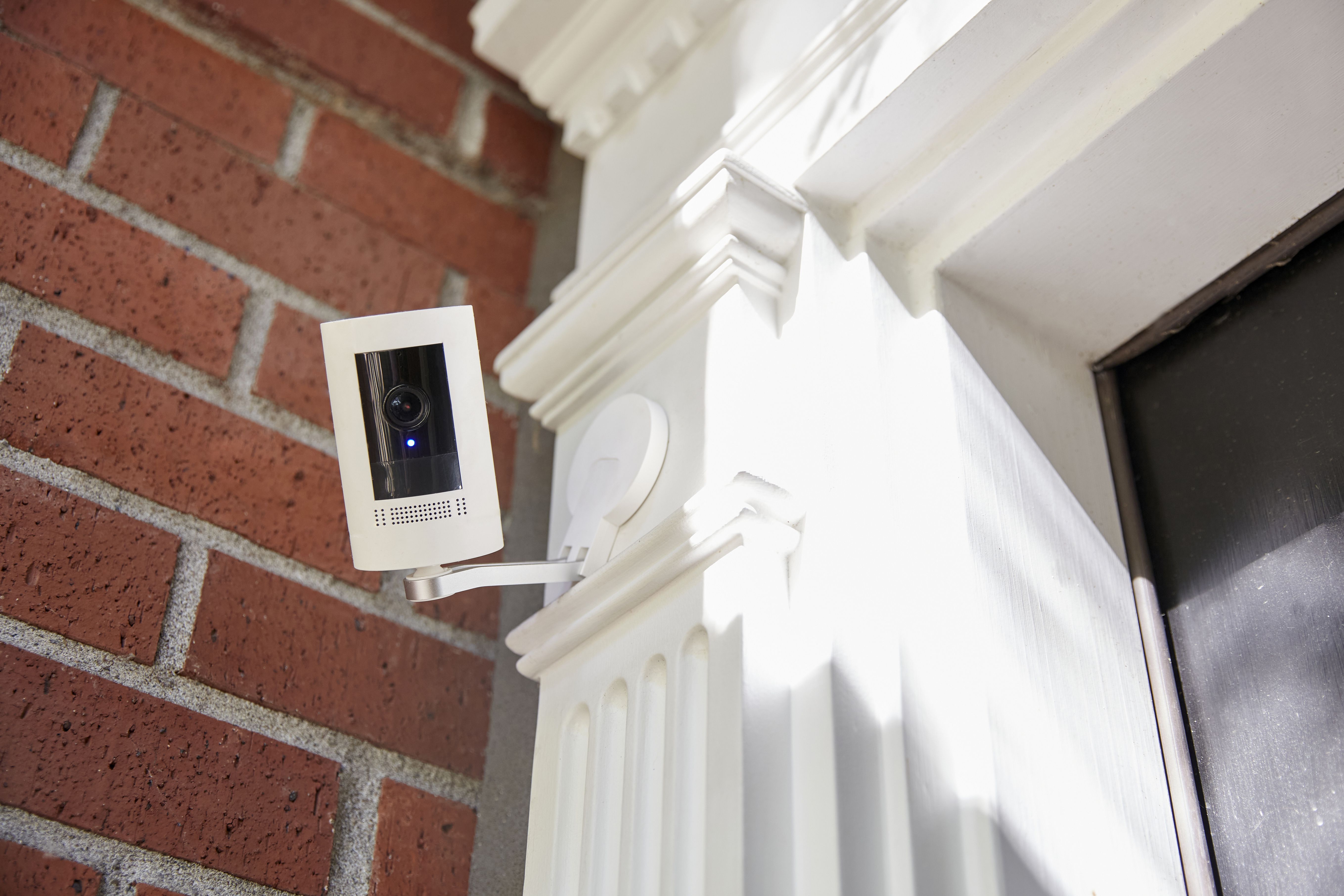
3) Smarter front door: a smart lock + video doorbell combo
This is the upgrade that most quickly changes your daily routine. A good smart lock saves you from the “where are my keys?”
scavenger hunt. A good video doorbell saves you from surprise interactions when you’re not in the mood to be perceived.
Why this combo makes life easier
- Keyless entry (codes, phone, fingerprint, or a tapdepending on the model).
- Temporary access for dog walkers, cleaners, visiting family, or that one friend who always arrives early.
- Package peace of mind with motion alerts and recorded clips.
- Remote check-ins so you can confirm the door is locked without driving yourself nuts.
Privacy and security: the grown-up part (still important)
Video doorbells and cameras can collect sensitive data. Consumer testing has found meaningful differences in how products handle privacy and security,
so it’s worth paying attention to data protection features rather than choosing only by price or brand hype.
What to look for
- Two-factor authentication for the account that controls your lock/camera.
- Regular software updates and a clear policy for how long updates are supported.
- Storage choices (cloud vs. local). Local options can reduce exposure, but cloud can be more convenient.
- Guest access controls (time-limited codes, unique codes per person, activity logs).
- Strong app permissions (you shouldn’t need to share your entire life to get a doorbell clip).
Setup tips that prevent headaches
- Fix the Wi-Fi at your door. If the signal is weak, consider a mesh node or extenderdoorbells are often far from the router.
- Use unique passcodes. Don’t give everyone “1234” unless you also enjoy chaos.
- Turn on notifications selectively. Alerts should help you, not train you to ignore your phone.
4) Connected smoke & CO alarms that “nag” you into safer habits
A smart smoke and carbon monoxide alarm is not a flashy upgradeand that’s exactly why it’s so good. It’s safety that’s easier to maintain:
notifications, status checks, and reminders that don’t rely on you remembering anything except how to breathe.
What makes them smarter (and easier)
- Phone alerts when an alarm goes off (useful if you’re outside, asleep, or in another part of the home).
- Maintenance reminders for batteries and end-of-life replacement.
- Interconnection so when one alarm sounds, others can sound too (depending on model and setup).
Basic maintenance still matters
Consumer safety guidance commonly recommends testing alarms regularly, replacing batteries (unless you have a sealed long-life battery design),
and replacing older alarms based on manufacturer instructions and age. If you can’t remember the last time you checked your alarms, that’s a sign
this upgrade could be a great fitbecause it helps you stay consistent without effort.
Where this upgrade shines
Homes with multiple levels, busy families, people who travel, or anyone who has ever said, “Wait… was that chirp the smoke alarm or a bird outside?”
Connected alarms reduce uncertainty and speed up response.
5) Leak sensors + automatic water shutoff (the underrated hero)
Water damage is the kind of problem that starts as “no big deal” and ends as “why does the ceiling look like modern art?”
A smart leak detector is a small device with a big superpower: it notices water where water should absolutely not be.
Two ways to do leak protection
- Spot leak sensors (small pucks) placed near risk areas. They alert you when they detect moisture.
- Automatic shutoff valves that can turn off your main water supply when a leak is detected (often paired with sensors or flow monitoring).
Where to place sensors for maximum payoff
- Under sinks (kitchen and bathrooms)
- Behind toilets
- Near the water heater
- Behind the washing machine
- Near the dishwasher
- Basements or utility rooms where plumbing runs are exposed
Why this makes life easier (not just safer)
The convenience is psychological: you can leave the house without mentally replaying the question, “Did I just start the dishwasher and then disappear
for eight hours?” With a leak alertand especially with a shutoff systemyou’re adding a layer of protection that doesn’t depend on luck.
Make these upgrades feel effortless: 6 simple automations that actually help
The magic isn’t owning five smart devices. It’s making them work together in tiny ways that remove friction from your day.
Here are automations that tend to be genuinely useful:
- “Good Night” routine: lock doors, turn off lights, set thermostat, and arm alerts.
- “Leaving Home” routine: lights off, thermostat to away, lock door (with a delay so you’re not locked out).
- Night pathway lighting: motion-triggered dim lights in hall/bathroom between certain hours.
- Vacation mode: randomize a few lights at night and keep temperature safe (not extreme).
- Doorbell-to-light: flash a hallway lamp when the doorbell rings (useful if you wear headphones).
- Leak alert escalation: if water is detected, push notification + audible speaker announcement.
Conclusion: Easier days, smarter home (without the tech stress)
The best smart home upgrades are the ones you stop noticingbecause they quietly remove small hassles from your routine.
A smart thermostat handles comfort without constant tinkering. Smart lighting prevents wasted energy and wasted patience.
A smart lock and video doorbell streamline arrivals and deliveries. Smart smoke/CO alarms simplify safety. Leak detection reduces the “what if?”
anxiety that follows you out the door.
If you want this to stay easy, keep your setup simple: choose compatible devices, prioritize security settings, and build automations around real habits
(not fantasy habits like “I always go to bed at exactly 10:00 p.m.”).
Experience snapshots (500+ words of real-world moments)
Picture a normal weekday morning. Your alarm goes off, and instead of stumbling through a cold house like a confused penguin, the thermostat has already
nudged the temperature to your “awake and functional” setting. The kitchen lights come on at a gentle brightnessenough to find the cereal, not enough
to interrogate your soul. You didn’t “do” anything. Your home just did the small helpful thing at the right time.
Later, you leave the house in a hurry. You’re halfway down the street when your brain tries to start a panic slideshow:
Did I turn off the lights? Did I lock the door? Did I change the temperature? Did I do… literally anything correctly?
With a smart setup, you glance at an app (or get an automatic “Away” confirmation) and move on with your life. It’s not about obsessing over your phone.
It’s about ending the loop in your head.
Now imagine the classic grocery scenario: arms full, juggling bags, trying to open the door with the grace of a person who definitely planned ahead
(you did not). A keypad code, a phone tap, or a fingerprint unlock turns that moment into a non-event. Even better: you can create a temporary code for
a family member or friend who’s stopping by, and then turn it off laterno spare keys floating around like tiny metal liabilities.
Deliveries are another everyday stress test. A video doorbell doesn’t magically stop porch pirates, but it does give you awareness: motion alerts,
a quick look at who’s there, and a record of drop-offs. The most “life-easier” part is surprisingly simple: you don’t have to wonder what happened.
You can check, confirm, and move on. (And if you live in a noisy house, tying the doorbell to a lamp flash or a speaker announcement can be
the difference between “package saved” and “package mystery.”)
Safety upgrades create a different kind of ease: the quiet confidence of knowing the basics are handled. A smart smoke/CO alarm can notify you if
something goes wrong or if a device needs attention. Even if you never have an emergency (the goal!), it’s still helpful to get reminders that keep you
from ignoring a chirp for a week because you’re busy, tired, or convinced it’s a cricket with a personal vendetta.
And then there’s water. Water problems don’t schedule themselves politely. A leak sensor under a sink is the kind of thing you forget about until one day
it pings youright when a slow drip becomes a puddle. If you’re home, you catch it early. If you’re away, you can call a neighbor, shut off water if you
have a valve system, or at least stop the damage from turning into a full renovation storyline. It’s hard to overstate how much stress disappears when
your home can warn you before a small issue becomes a big one.
The overall “experience” of these upgrades isn’t futuristic. It’s practical. Your home becomes better at the little things: remembering, responding,
and reducing friction. The win is that your attention is freed up for everything elseschool, work, family, hobbies, restwithout your house demanding
a daily management meeting.